Reports
Administrators have access to comprehensive reporting features.
Capacity Utilization
View storage usage:
- Total account storage capacity
- Currently used storage
- Available storage
- Usage by user (if applicable)
Use this report to monitor storage limits and plan for capacity expansion.
Transfer Utilization
See transfer bandwidth usage:
- Current month's transfer volume
- Past transfer history
- Filter by month
- Filter by user
Use this report to understand transfer patterns and identify heavy users.
Transfer In Progress
View all currently pending transfers:
- Sender and recipients
- File names and sizes
- Upload/download status
- Expiration dates
Use this report to monitor active transfers and identify potential issues.
Transfer History
Complete audit trail of all transfers:
- Filter by date range
- Filter by status (completed, expired, canceled)
- Filter by user
- View detailed delivery tracking
- Access full audit trails
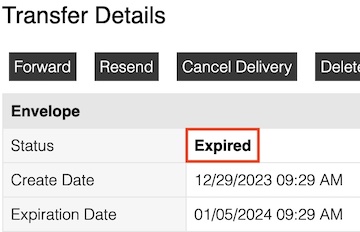
Viewing Transfer Details
- Click details next to any transfer
- View:
- Sender and recipients
- File list
- Download status for each recipient
- Authentication method used
- Expiration date
- Full activity log
Use this report for compliance, auditing, and troubleshooting.
User Access History
Monitor login activity across the account. Each entry shows:
- Date — when the sign-in occurred
- Type — the kind of login: Account, Receiver, or Portal
- Login — the email address used to sign in
- Location — the IP address the sign-in came from
Use this report to:
- Verify user activity
- Identify suspicious logins
- Track access patterns
- Comply with security audits
Repo Logs
Activity log for Repository file operations (uploads, downloads, and other changes within repositories).
Portal Logs
Activity log for Portal file operations (guest uploads and downloads through portals).